Not that anyone’s interested in this, but I thought about sharing more information about my setup and how it’s working for me, so here it is.
Note: This is a work in progress and things keeps changing all the time, so the information below is most likely outdated.
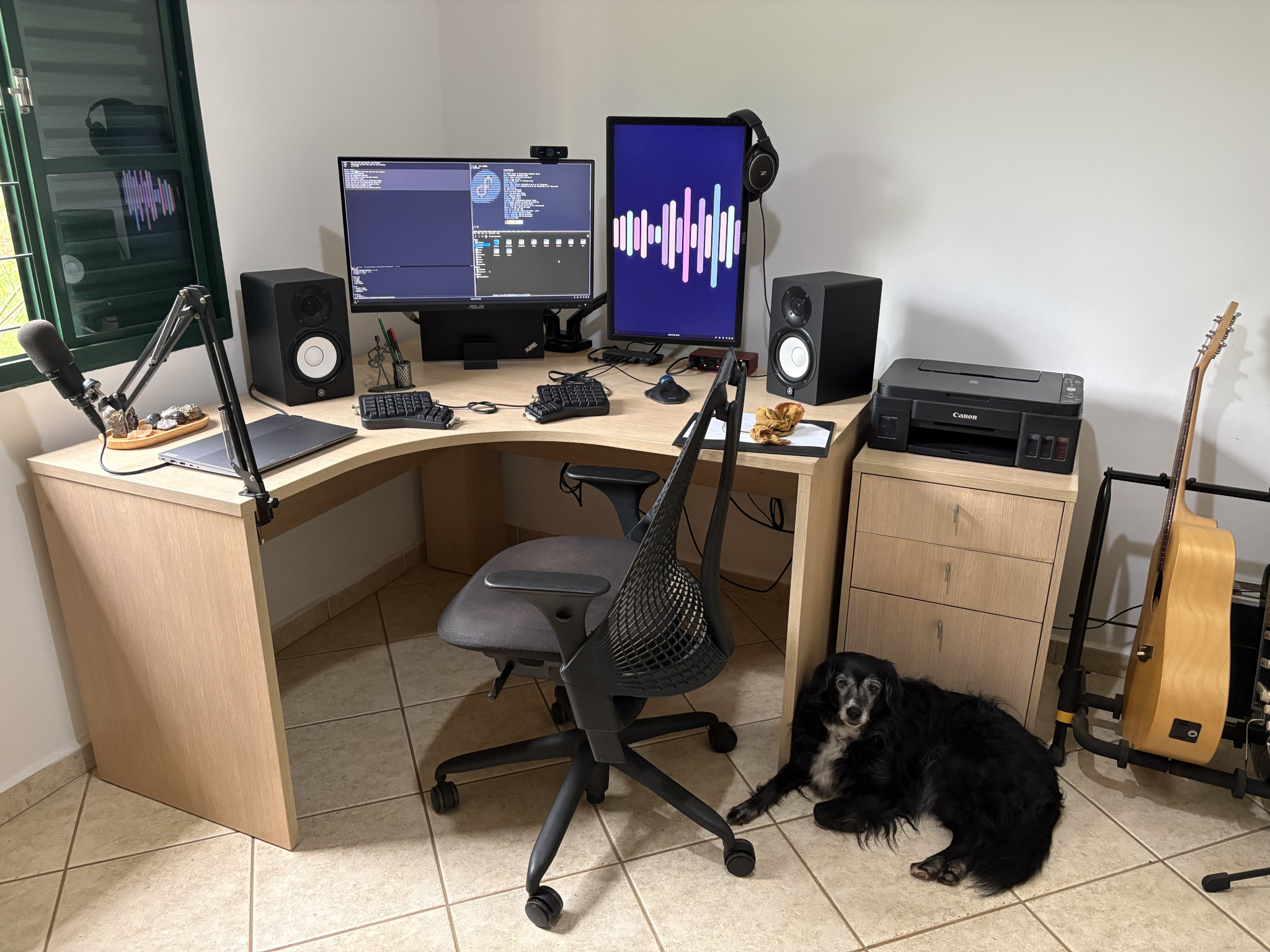
This is my desk, with Marli as the guest star.
Software
I use Fedora with Sway as the window manager as my daily driver.
My current installation has a little more focus on security and privacy than previous iterations, so I spent a little more time setting up Secure Boot with my own keys, LVM on LUKS for full disk encryption, two-factor authentication during login with pam-u2f + YubiKey (I also have a Ledger Nano S as a backup) and firewalld configuration that denies all traffic except for the ones I explicitly want.
You can check out my current configuration here.
Hardware
Laptops
My personal laptop is a Lenovo Thinkpad T480. For work, my employer provided me with a Thinkbook 14 G6 IRL.
Monitors
It’s impossible for me to work with just the laptop built-in display, so I use two monitors:
| Model | Resolution | Position |
|---|---|---|
| Asus PA279CV | 3840x2160 | Landscape |
| Dell U2412M | 1920x1200 | Portrait |
I like to use the display in portrait position for reading articles and the other one for splitting between text editor, web browsers and terminal windows, all that arranged in different workspaces. I use a Sway, a tiling window manager for simplifying the task of navigating between the different windows in different workspaces and displays with the keyboard.
ErgoDox EZ Keyboard
A few years back, I used a Macbook Pro as my work computer. I was one of the many users that were affected by the terrible build quality of the built-in “butterfly” keyboard, so I began considering using an external keyboard.
Regarding the ergonomics, one issue I had was occasional shoulder and wrist pain, which was most likely caused by the effort I had to make to keep my fingers lined up with the key rows while touch typing. Also, as an old Emacs user, other common cause of pain was the infamous Emacs pinky. I tried to do the usual change of mapping the Caps Lock key to Ctrl, to make the key easier to reach, but that only helped so much.
After some research, I decided to purchase myself a programmable split keyboard, and the one I chose was the ErgoDox EZ.
With ErgoDox EZ, I managed to move the Ctrl key to my thumbs, causing much less strain on my pinkies. I also heavily changed the default layout to fit my needs. To do that, I used WhatPulse for a while, in order to identify the most pressed keys and gradually changing the keyboard layout towards better ergonomics for my usage. Now I can type for hours straight without busting my arms and hands1. You can check out my custom layout here.
The keyboard is built like a tank, although the RGB LEDs for a couple of keys did go bad after ~7 years of heavy usage. So if you plan to buy one, I’d recommend the models without LEDs.
Kensington Orbit Trackball
By using an external keyboard, I had to start using an external pointing device. I used an old Microsoft mouse for a while before getting myself a Kensington Orbit trackball.
At first, I considered buying myself a Magic Trackpad 2 but one of these is way too expensive here in Brazil. In the end I decided to try a trackball, which is something I was curious about and wanted to try for quite some time.
This was a nice ergonomics improvement, as I don’t have to move my arm around in order to move the pointer. It took me a few weeks to regain the same precision I had when using a traditional mouse or trackpad device, but I feel much more comfortable now.
The Orbit build quality is also very good. The only downside for me was the scroll ring rubber cover, which sometimes gets in the way when spinning the scroll ring and builds up grease and dirt. I eventually removed the rubber, as you can see in the picture below.
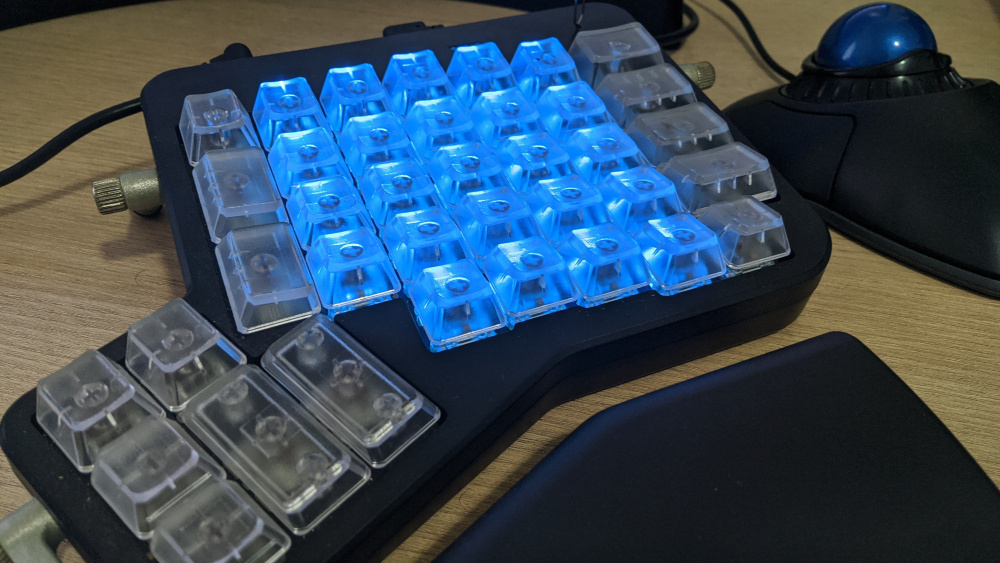
If a nice trackpad wasn’t so damn expensive around here, I would give that a try.
iPhone
I used to run GrapheneOS in a Google Pixel 6a phone, but it died after less than 2 years of light/medium usage. It turns out that Pixel phones are still hit and miss in terms of hardware quality, so I decided to move to iPhone for the time being.
YubiKey 5 NFC and Ledger Nano S
I use YubiKey as my main hardware token, and keep the Ledger Nano S in a safe place as a backup. I might buy myself another YubiKey in the future and keep the Ledger only for handling cryptocurrencies.
The YubiKey build quality is great. The performance is decent (much faster than in Leger Nano S), and I feel much safer using these devices than I felt when I had to rely on other methods for multi-factor verification. I also no longer have to keep private SSH and PGP keys available in my computer’s file system, and the U2F / WebAuthn support is great.
The PGP support in the Series 5 key is nice and enables me to use these devices for a lot of different things, such as authenticating to remote machines, signing/encrypting messages, managing passwords, etc.
Aside from the obvious usage scenarios, I also use the hardware tokens in my local machine as a second factor and for authenticating sudo.
Other Hardware
- Focusrite Scarlett 2i2 audio interface
- Audio-Technica AT2020 condenser microphone
- Yamaha HS5 monitors
- Logitech C920 PRO HD webcam
- Herman Miller Sayl office chair
-
About being a somewhat proficient Emacs user, using two (sometimes three) displays and enjoying a mostly keyboard-centric workflow, some colleagues joke about this, saying that I probably have other people working for me, answering messages and doing stuff in parallel. Of course, this is not the case (or is it?) ↩︎